Profile Audit
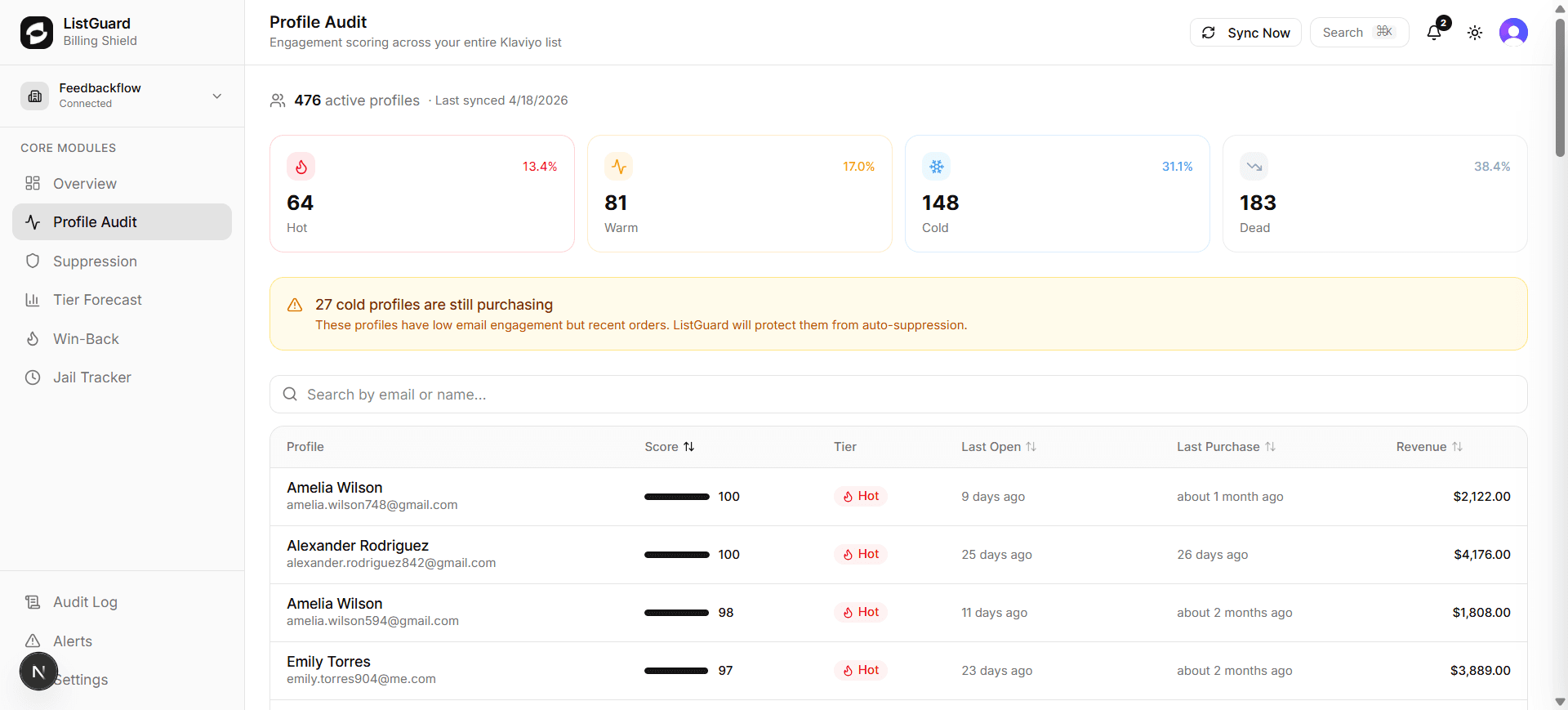
Profile Audit scores every contact in your Klaviyo account based on their email engagement and revenue contribution. The result is a clear, sortable breakdown that shows exactly who to keep, who to win back, and who to remove.
Engagement tiers
Every profile is classified into one of four tiers:
| Tier | Criteria | Action |
|---|---|---|
| 🔥 Hot | Opened recently, high engagement score | Keep — these are your best subscribers |
| ⚡ Warm | Moderate engagement, some recent opens | Monitor and nurture |
| ❄️ Cold | Low engagement, no recent opens | Win-back flow or suppress |
| 💀 Dead | No opens, no clicks, no purchases in 365+ days | Suppress immediately |
The tier bar at the top of the page shows the count and percentage in each tier at a glance.
Cold-but-buying protection
If any cold profiles have placed recent orders, a yellow warning banner appears: “X cold profiles are still purchasing.” ListGuard automatically excludes these from all suppression rules — they will never be removed even though their email engagement is low.
Profile detail panel
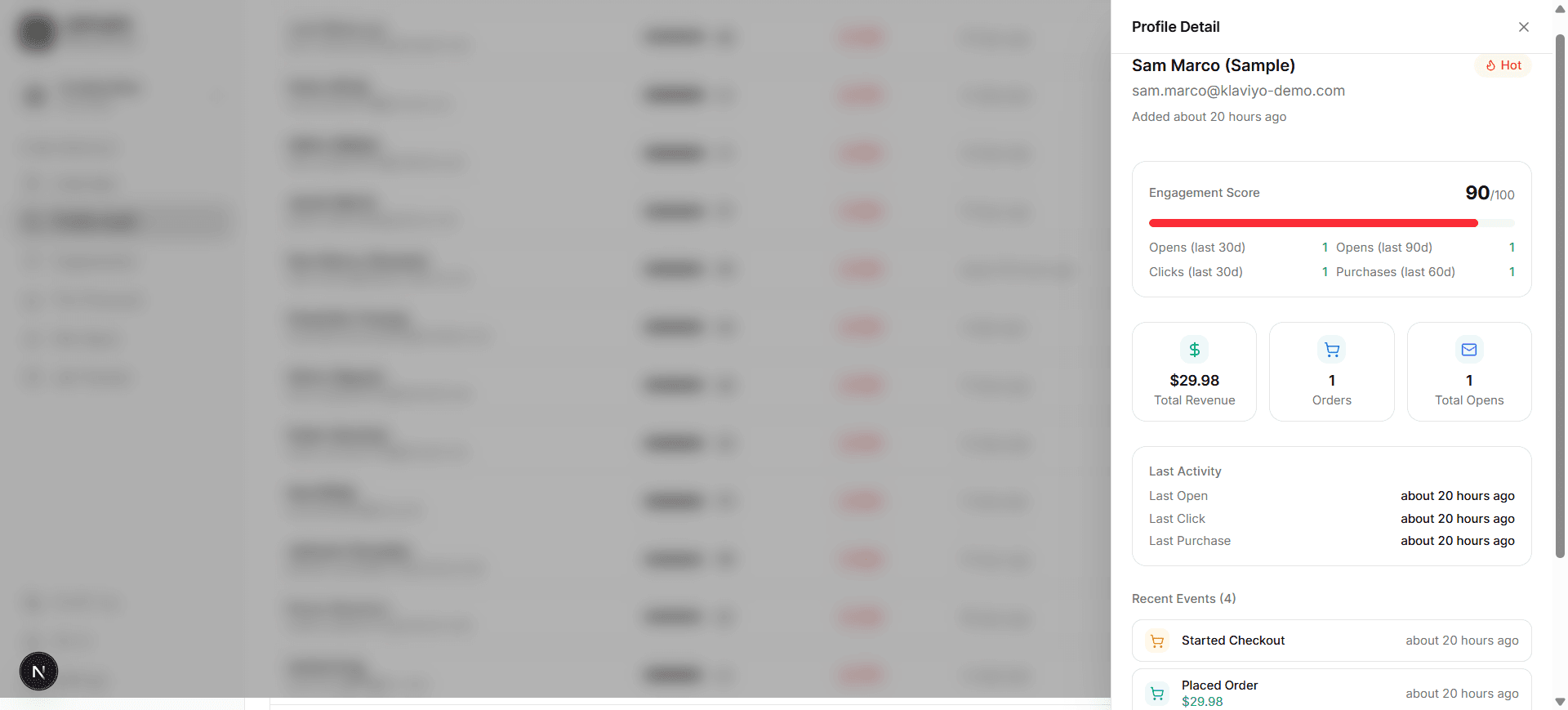
Click any profile to open the detail panel on the right. It shows:
- Engagement Score (0–100) — calculated from recency and frequency of opens, clicks, and purchases
- Total Revenue — lifetime purchase value from Klaviyo order events
- Last Activity — exact timestamps for last open, click, and purchase
- Recent Events — a chronological feed of the last 10 Klaviyo events for that profile
Searching and sorting
Use the search bar to find a profile by email address or name. Click any column header to sort by Score, Tier, Last Open, Last Purchase, or Revenue.
Syncing
Click Sync Now in the top-right to pull the latest data from Klaviyo immediately. ListGuard also runs automatic syncs on a scheduled basis — the last sync timestamp is shown next to the profile count.