Smart Suppression
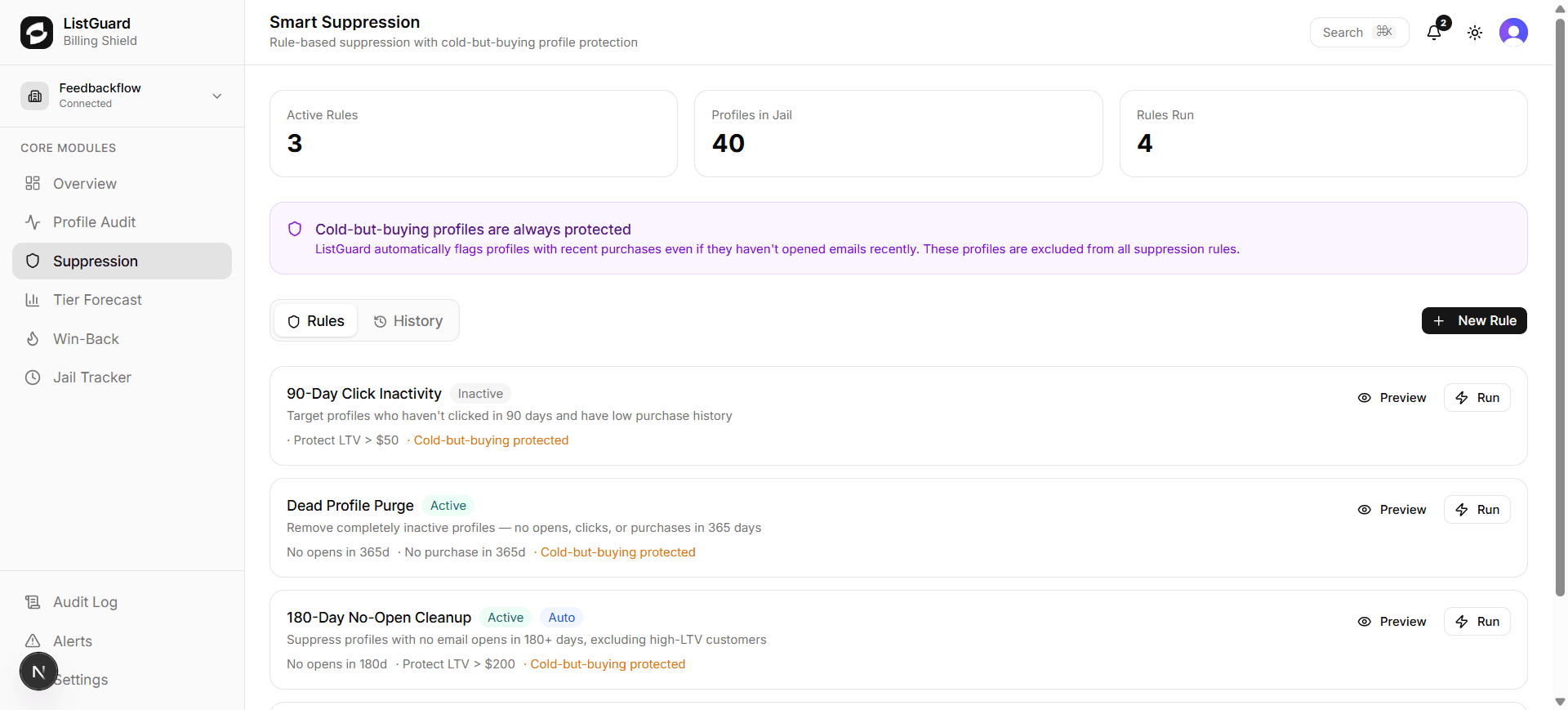
Smart Suppression lets you create rules that automatically remove disengaged profiles from your Klaviyo account — reducing your active profile count, lowering your billing tier, and improving deliverability. Every rule includes built-in cold-but-buying protection.
How it works
ListGuard evaluates your suppression rules against every profile in your Klaviyo account. Profiles that match all of a rule’s conditions are suppressed in Klaviyo — they move to the Suppression Jail and are tracked in the Jail Tracker.
Cold-but-buying profiles are always protected. Any profile with a recent purchase is automatically excluded from suppression, regardless of their email engagement score. This means you never accidentally suppress a customer mid-purchase cycle.
The condition engine
Each suppression rule is built from one or more conditions. Conditions are combined with AND logic — a profile must match every condition to be suppressed. This gives you precise control without hard-coded field limitations.
Available fields
| Field | Description |
|---|---|
| Days since last open | How many days ago the profile last opened an email |
| Days since last click | How many days ago the profile last clicked an email |
| Days since last purchase | How many days ago the profile last made a purchase |
| Engagement score | Composite 0–100 score based on recency and frequency |
| Lifetime revenue ($) | Total revenue attributed to the profile |
| Total orders | Number of orders placed |
| Profile tier | Hot, Warm, Cold, or Dead |
| Is cold-but-buying | Whether the profile is cold but has recent purchase activity |
| Has never opened | Whether the profile has never opened any email |
| Has never purchased | Whether the profile has never made a purchase |
Operators
Depending on the field type, you can use:
| Operator | Applies to |
|---|---|
is greater than | Numeric fields (days, score, revenue, orders) |
is less than | Numeric fields |
equals | Numeric fields |
is not | Numeric fields |
is in | Tier field (multi-select) |
is not in | Tier field (multi-select) |
is true / is false | Boolean fields |
Creating a suppression rule
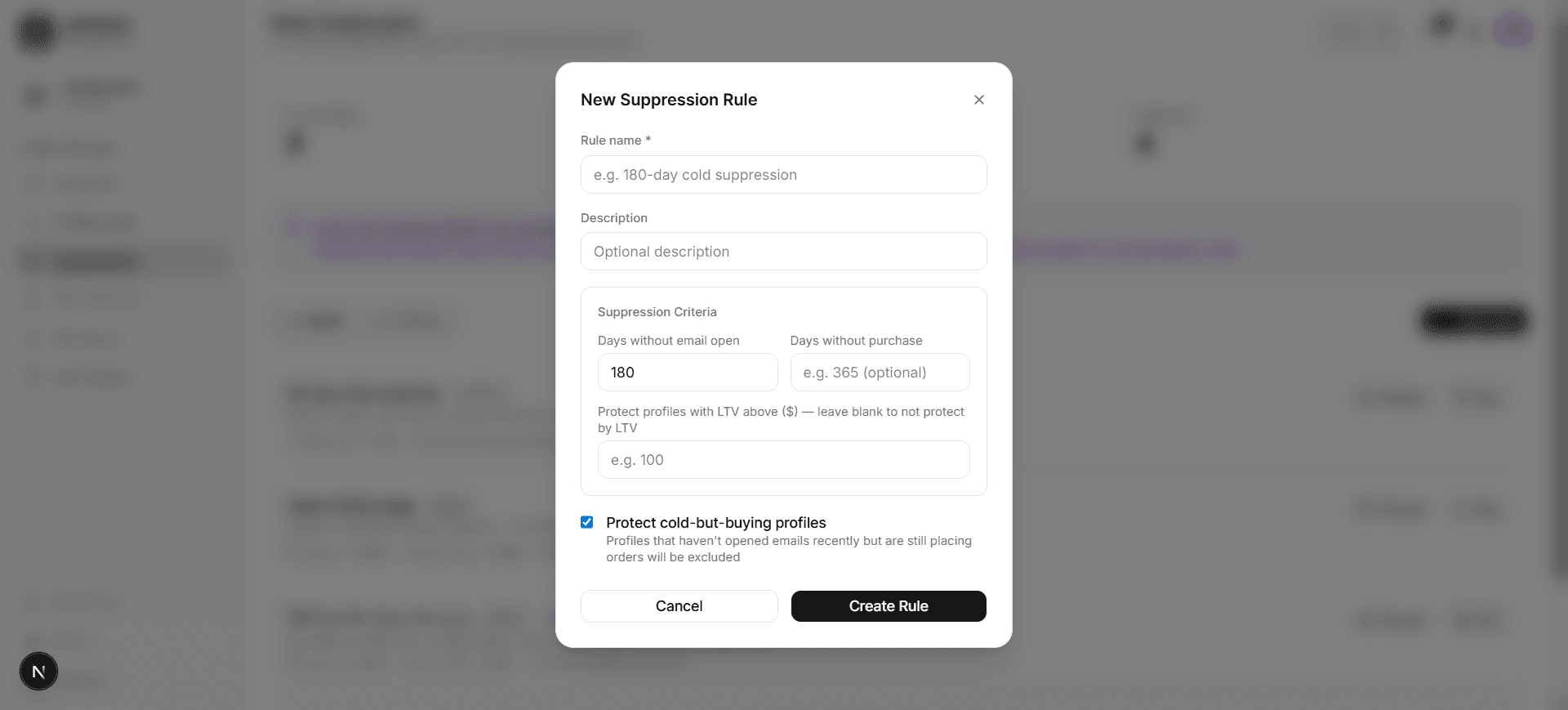
Click ”+ New Rule”
Opens the New Suppression Rule dialog.
Name your rule
Give the rule a clear name like “180-Day No-Open Cleanup” so you can identify it later.
Build your conditions
Click + Add condition to add a row. For each condition:
- Choose a field from the dropdown (e.g. “Days since last open”)
- Choose an operator (e.g. “is greater than”)
- Enter a value (e.g.
180)
Add as many conditions as needed. All conditions must be true for a profile to be suppressed.
Example — 180-day no-open rule:
- Days since last open → is greater than →
180 - Days since last purchase → is greater than →
365
Example — low-value cold profiles:
- Profile tier → is in → Cold, Dead
- Lifetime revenue ($) → is less than →
50
Enable cold-but-buying protection
The Protect cold-but-buying profiles toggle is on by default. Keep it enabled to ensure customers who are still placing orders are never suppressed, regardless of their email activity.
Save and run
Click Create Rule to save. Rules can be run manually (click Run on the rule row) or triggered automatically via the Win-Back Launcher after a win-back campaign completes.
Editing and deleting rules
Each rule in the list has:
- A pencil icon to open the rule editor with all current conditions pre-populated
- A trash icon to permanently delete the rule
Condition pills are shown inline in the rule list so you can see exactly what each rule targets at a glance.
Rule status
- Active — enabled and will fire when triggered
- Inactive — saved but paused
Job history
Click the History tab to see every time each rule has run, how many profiles were suppressed, and how many cold-but-buying profiles were protected.
Example rules
| Rule | Conditions |
|---|---|
| 90-Day Click Inactivity | Days since last click > 90 AND lifetime revenue < $50 |
| Dead Profile Purge | Tier is in Dead AND has never purchased is true |
| 180-Day No-Open Cleanup | Days since last open > 180 AND days since last purchase > 365 |
| High-Value Cold Safety Net | Tier is in Cold AND lifetime revenue > 200 (review before suppressing) |